

Smart software and hardware for the industrial IoT
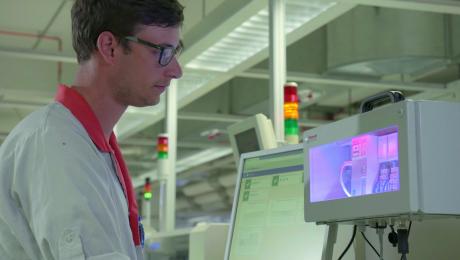

The secret of the Internet of things lies in the software. Without it, there would be no smart devices and no cloud. Consequently, the new IoT Gateway software V2 arrives with many new connectivity possibilities. New hardware allows for an adjustable and scalable concept for one or more machines and can be used for existing machines as well as directly at the OEM. In order to be able to evaluate status and processes completely, the user has the option of connecting additional sensors, third-party controls and higher-level IT systems. Another new feature is the Device Portal – a joint development by Rexroth and Bosch Connected Industry – for centralized management of distributed infrastructures.
Data is the key for the optimization of the Overall Equipment Efficiency (OEE). The IoT Gateway brings companies closer to the strategic goal of networking all relevant machines and systems and making processes for evaluation and continuous improvement visible. OEMs and end-users require quickly workable connectivity solutions for new machines and retrofit solutions. The new IoT Gateway allows both interested parties to quickly network new and existing machines in just a few steps.
For access to production and machine data, the web-based configurable tool can be connected to a wide variety of sensors, servers and controls via so-called device apps. The compact and robust multi-sensor CISS from Bosch, OPC UA predecessors OPC DA and other third-party control systems including Beckhoff CX and Allen Bradley/Rockwell ControlLogix are now also supported. Forwarding data for the purpose of analysis and evaluation is carried out by processing apps that, in addition to diverse cloud services, also support MES systems and offer a Generic REST service.
Demand-oriented selection of hardware
To customize the industrial IoT, the gateway software can be operated on various hardware platforms. In addition to the high-performance embedded control XM from Rexroth, industrial PCs are now also being considered, especially the new IPC generation PR based on Linux with WiFi, USB and local HDMI interface.
Management, data backup and app development
Another new feature is the Device Portal developed in cooperation with Bosch Connected Industry, which allows OEMs, service providers and end-users to efficiently and remotely manage IoT Gateway instances. It is also possible to integrate it into existing management systems.
The secret of the Internet of things lies in the software. Without it, there would be no smart devices and no cloud. Consequently, the new IoT Gateway software V2 arrives with many new connectivity possibilities. New hardware allows for an adjustable and scalable concept for one or more machines and can be used for existing machines as well as directly at the OEM. In order to be able to evaluate status and processes completely, the user has the option of connecting additional sensors, third-party controls and higher-level IT systems. Another new feature is the Device Portal – a joint development by Rexroth and Bosch Connected Industry – for centralized management of distributed infrastructures.
Data is the key for the optimization of the Overall Equipment Efficiency (OEE). The IoT Gateway brings companies closer to the strategic goal of networking all relevant machines and systems and making processes for evaluation and continuous improvement visible. OEMs and end-users require quickly workable connectivity solutions for new machines and retrofit solutions. The new IoT Gateway allows both interested parties to quickly network new and existing machines in just a few steps.
For access to production and machine data, the web-based configurable tool can be connected to a wide variety of sensors, servers and controls via so-called device apps. The compact and robust multi-sensor CISS from Bosch, OPC UA predecessors OPC DA and other third-party control systems including Beckhoff CX and Allen Bradley/Rockwell ControlLogix are now also supported. Forwarding data for the purpose of analysis and evaluation is carried out by processing apps that, in addition to diverse cloud services, also support MES systems and offer a Generic REST service.
Demand-oriented selection of hardware
To customize the industrial IoT, the gateway software can be operated on various hardware platforms. In addition to the high-performance embedded control XM from Rexroth, industrial PCs are now also being considered, especially the new IPC generation PR based on Linux with WiFi, USB and local HDMI interface.
Management, data backup and app development
Another new feature is the Device Portal developed in cooperation with Bosch Connected Industry, which allows OEMs, service providers and end-users to efficiently and remotely manage IoT Gateway instances. It is also possible to integrate it into existing management systems.