

Hermle introduces another digital component: the Navigator GUI
The digital transformation is now becoming the focus of many different production operations. Hermle is there to provide support while you chart your individual course towards Industry 4.0 and the smart factory. We offer a wide range of software solutions for improving your efficiency, precision and productivity, with our digital components representing links in the smarter production chain. Together we can find out what your operation needs. With Digital Production, Digital Operation and Digital Service components, we can put together a comprehensive package that will put your Hermle machining centres on a firm footing for future tasks: intelligent order management and transparent machining processes, smart machine tuning, paperless manufacturing and sophisticated technology cycles, as well as options for remote or preventive maintenance. Our digital components improve productivity, ease of operation and efficiency.
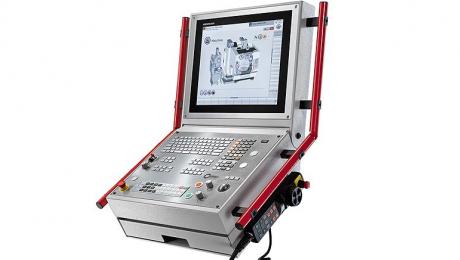
At this year's Open House, Hermle will be introducing another digital component, the new 'Navigator' operating concept. The Navigator GUI is cost-neutral for customers. It has been developed by Hermle and can be device-independently implemented on Heidenhain and Siemens controllers. Optimized for touch operation and with a future-oriented design, the Navigator fulfils the requirements of a state-of-the-art GUI. The intuitive operation by means of graphic menu navigation is designed to make the machine operator's daily work significantly easier.
The interactive buttons displayed in the Navigator are for general machine operation, but in addition to that all relevant equipment tools such as the internal coolant supply, chip conveyor and emulsion mist extraction system can be selected directly on the 3D machine representation, and their settings and functions can be managed via the menu. Furthermore, the Navigator can provide direct access to machine state data and all maintenance-relevant aspects. For even greater convenience, the operator can access the operating manual directly.
With around 1000 installations on the market, Hermle's HIMS information and monitoring software is the most successful digital component. In future, the software will by available as standard with a programming-friendly web interface on the basis of an http protocol as well as an OPC / UA interface. The operational scope is augmented by an optionally available energy and performance measurement system that provides the necessary level of production transparency.
The digital transformation is now becoming the focus of many different production operations. Hermle is there to provide support while you chart your individual course towards Industry 4.0 and the smart factory. We offer a wide range of software solutions for improving your efficiency, precision and productivity, with our digital components representing links in the smarter production chain. Together we can find out what your operation needs. With Digital Production, Digital Operation and Digital Service components, we can put together a comprehensive package that will put your Hermle machining centres on a firm footing for future tasks: intelligent order management and transparent machining processes, smart machine tuning, paperless manufacturing and sophisticated technology cycles, as well as options for remote or preventive maintenance. Our digital components improve productivity, ease of operation and efficiency.
At this year's Open House, Hermle will be introducing another digital component, the new 'Navigator' operating concept. The Navigator GUI is cost-neutral for customers. It has been developed by Hermle and can be device-independently implemented on Heidenhain and Siemens controllers. Optimized for touch operation and with a future-oriented design, the Navigator fulfils the requirements of a state-of-the-art GUI. The intuitive operation by means of graphic menu navigation is designed to make the machine operator's daily work significantly easier.
The interactive buttons displayed in the Navigator are for general machine operation, but in addition to that all relevant equipment tools such as the internal coolant supply, chip conveyor and emulsion mist extraction system can be selected directly on the 3D machine representation, and their settings and functions can be managed via the menu. Furthermore, the Navigator can provide direct access to machine state data and all maintenance-relevant aspects. For even greater convenience, the operator can access the operating manual directly.
With around 1000 installations on the market, Hermle's HIMS information and monitoring software is the most successful digital component. In future, the software will by available as standard with a programming-friendly web interface on the basis of an http protocol as well as an OPC / UA interface. The operational scope is augmented by an optionally available energy and performance measurement system that provides the necessary level of production transparency.