Mastercam
2693
Mastercam
2693

Mastercam to Integrate Adveon™ Tool Library

Tolland, CT – CNC Software, Inc. and Sandvik Coromant have announced that they will be working together to integrate the Adveon™ Tool Library with Mastercam®. Adveon will help Mastercam users to further improve machining productivity and security, and save time during machine set-up. By reducing the engineer’s input, both consistency and quality of data are improved.

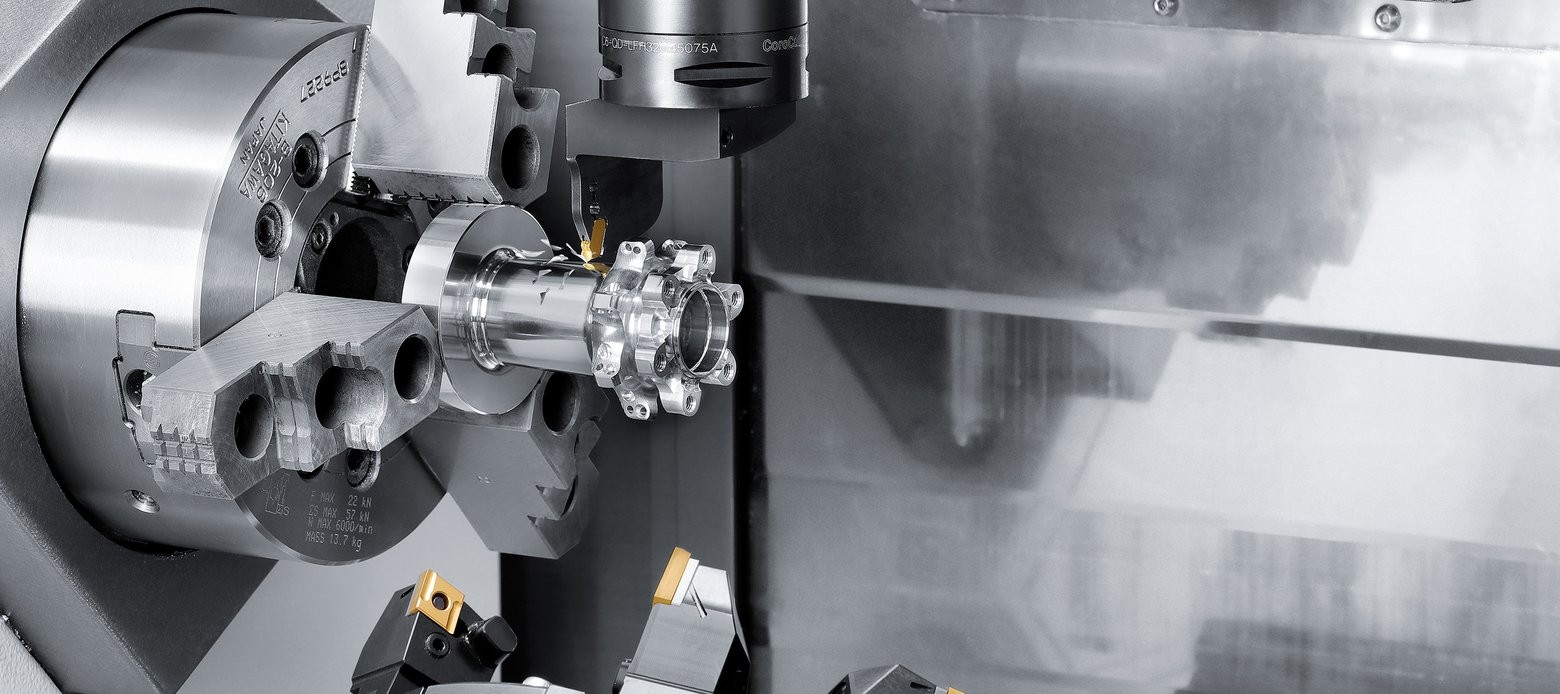
CNC Software’s Mastercam is the world’s most widely used CAD/CAM software, providing solutions from the simplest to the most complex design and machining problems. Mastercam includes state-of-the-art Dynamic Motion technology for milling and turning machining providing dramatic improvements in manufacturing efficiency with reduced cycle times and increased tool life.

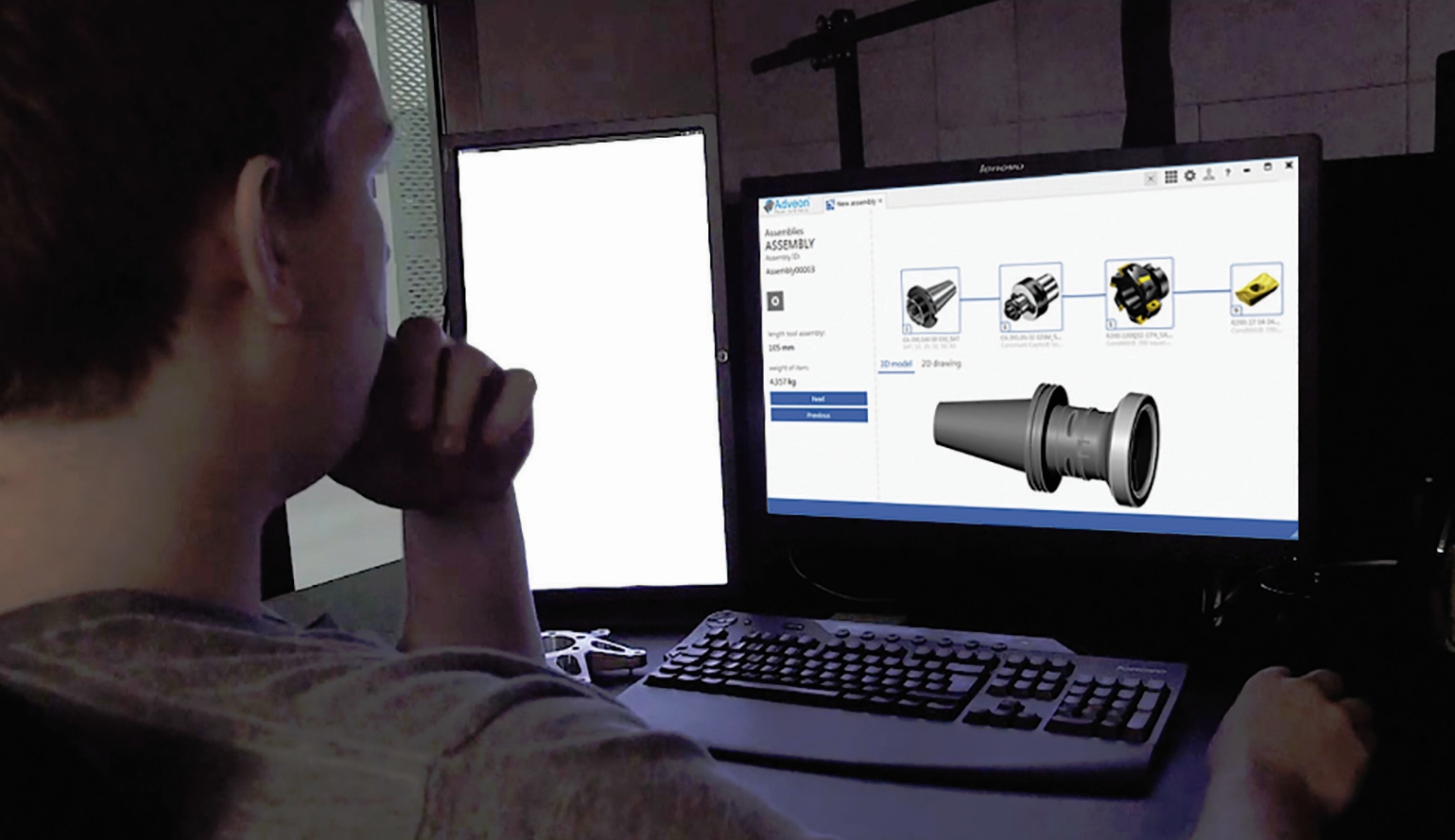
Adveon has standardized methodology, designed specifically to facilitate quick and safe CAM programming, allowing users to:

  • Develop their own tool library / database
  • Select tools for production
  • Overview and maintain the assortment
  • Build tool assemblies quickly and safely
  • See immediate results in 2D and 3D models
  • Instantly export to Mastercam Tool Manager

 
Adveon works with any tooling supplier that bases their catalogue on ISO 13399, thus assuring the accuracy of geometrical information.

The advantages of Adveon are far reaching. The open catalogue area allows drastic reduction of time spent on finding and defining cutting tools, eliminating the need to search for information in catalogues or interpret data from one system to another. This in turn helps the manufacturer gain rapid access to the required cutting tool information in order to source the most suitable machining solution, paired with the most efficient cutting tool selection. Through Adveon, users can select the tools used in their daily operations, maintain and amend the assortment, and create their own tool libraries by copying and pasting from the catalogue area. Virtual tools can be assembled in a fast and secure manner and data quickly exported for CAM programming and simulation.

According to previous customer studies, the automated input of cutting tool data to CNC systems can increase the productivity of NC programming through CAM systems by as much as 20%.

Adir Zonta, Adveon Product Manager at Sandvik Coromant says, “Our partnership with CNC Software creates a great opportunity to Mastercam users to increase their productivity and quality on NC programing by providing qualified tool assembly data and true to scale 3D models to Tool Manager Library. Additionally, we are able to provide the digital manufacturing world our metal cutting competence.

David Boucher, Director of Product Development at CNC Software comments, “By partnering with Sandvik, we will be able to directly use Sandvik ISO13399 tooling data and models inside the Mastercam application and this will improve our mutual customers’ workflow and efficiency, while reducing the potential for programming errors from the need to duplicate tooling information.”

The Adveon Tool Library solution is the first pure ISO13399 application directly connected to CAM software. Adveon reads and consumes ISO13399 data from any tool vendor.

Mastercam


Responsible for the content of this press release: InterCAM-Deutschland GmbH

Login or register now and enjoy all the benefits of a community!

To get the whole functionality of IndustryArena Forum you need to login or register. This process is absolutely free.

Password forgotten?
Contact request
Guest Photo
The controller within the meaning of Art. 4(7) GDPR is: IndustryArena GmbH, Schneiderstr. 6, 40764 Langenfeld, Germany.
You may reach our data protection officer under [email protected].

Purpose of processing
We process your personal data concerning the use of the contact form and the communication with the company of the newsroom as well as the transmission of your data to this company in accordance to Art. 6 (1a) GDPR. This constitutes a legitimate interest for us in accordance to Art. 6 (1f) GDPR.

Recipient of the data
Within our organization, those units gain access to your data, which are necessary to fulfil the above purposes.
Personal data will only be transmitted to third parties if this is necessary for the aforementioned purposes or if another legal basis exists. If necessary, we conclude the corresponding data protection agreements with third parties, in particular pursuant to Art. 28 GDPR.

Data storing
Your data will be transmitted to the company of the newsroom for further processing. The period of storing is the duration of the processing of your request by the respective company.
InterCAM-Deutschland GmbH
{{ errors.first('subject') }}
{{ errors.first('comments') }}
Personal Information
{{ errors.first('company') }}
{{ errors.first('name_title') }}
{{ errors.first('phone_number') }}
{{ errors.first('email') }}
{{ errors.first('zip') }}
{{ errors.first('city') }}
The controller within the meaning of Art. 4(7) GDPR is: IndustryArena GmbH, Schneiderstr. 6, 40764 Langenfeld, Germany.
You may reach our data protection officer under [email protected].

Purpose of processing
We process your personal data concerning the use of the contact form and the communication with the company of the newsroom as well as the transmission of your data to this company in accordance to Art. 6 (1a) GDPR. This constitutes a legitimate interest for us in accordance to Art. 6 (1f) GDPR.

Recipient of the data
Within our organization, those units gain access to your data, which are necessary to fulfil the above purposes.
Personal data will only be transmitted to third parties if this is necessary for the aforementioned purposes or if another legal basis exists. If necessary, we conclude the corresponding data protection agreements with third parties, in particular pursuant to Art. 28 GDPR.

Data storing
Your data will be transmitted to the company of the newsroom for further processing. The period of storing is the duration of the processing of your request by the respective company.

Select contact person

Newsroom Logo

Design options

  • Title text color:
  • Content background:
  • Content text color:
  • Navigation background:
  • Tab text color:
  • Active tab text color:
  • Link text color:
  • Active link text color:
  • Background image Background color:

    How do you want to position the background-image?

    Please note: Banners and skyscrapers are only saved for the current language. For other languages, change the language using the button at the top right.

    Set the link for the background image

  • Banner

    How do you like to align the banner?

    Please note: Banners and skyscrapers are only saved for the current language. For other languages, change the language using the button at the top right.

    Set the link for the banner

  • Skyscraper

    Set the link for the skyscraper

Please note:

Banners and skyscrapers are only saved for the current language. For other languages, change the language using the button at the top right.