ModuleWorks
306
ModuleWorks
306

Performance boost for ModuleWorks Dental Framework

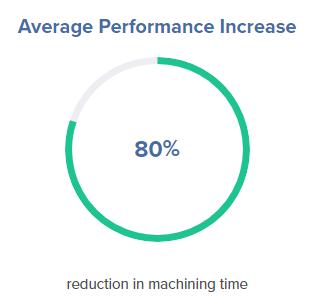
ModuleWorks announces the latest performance enhancements for ModuleWorks Dental Framework 2019. In tests performed at the ModuleWorks Dental CAM Laboratory in Aachen, Germany, ModuleWorks Dental Framework 2019 accelerated dental grinding by 60-80% compared to previous releases of the software. The tests also confirmed the performance advantages of multi-core processing for toolpath calculations.

ModuleWorks Dental Framework is high-performance plug-and-play dental CAM software that integrates seamlessly into dental CAM applications to accelerate the production of dental indications in labs and practices. It is powered by the ModuleWorks CAM kernel, which brings over 800 man-years of ongoing cutting-edge CAM software development to the dental industry. ModuleWorks Dental Framework utilizes this strong development platform to continuously enhance the performance and cost-effectiveness of dental milling and grinding applications.

“This study shows how ModuleWorks Dental Framework continuously optimizes dental CAM/CNC workflows. It’s great to work hand-in-hand with our dental partners to constantly push the performance of our combined technologies and ensure it is always at the cutting edge.”
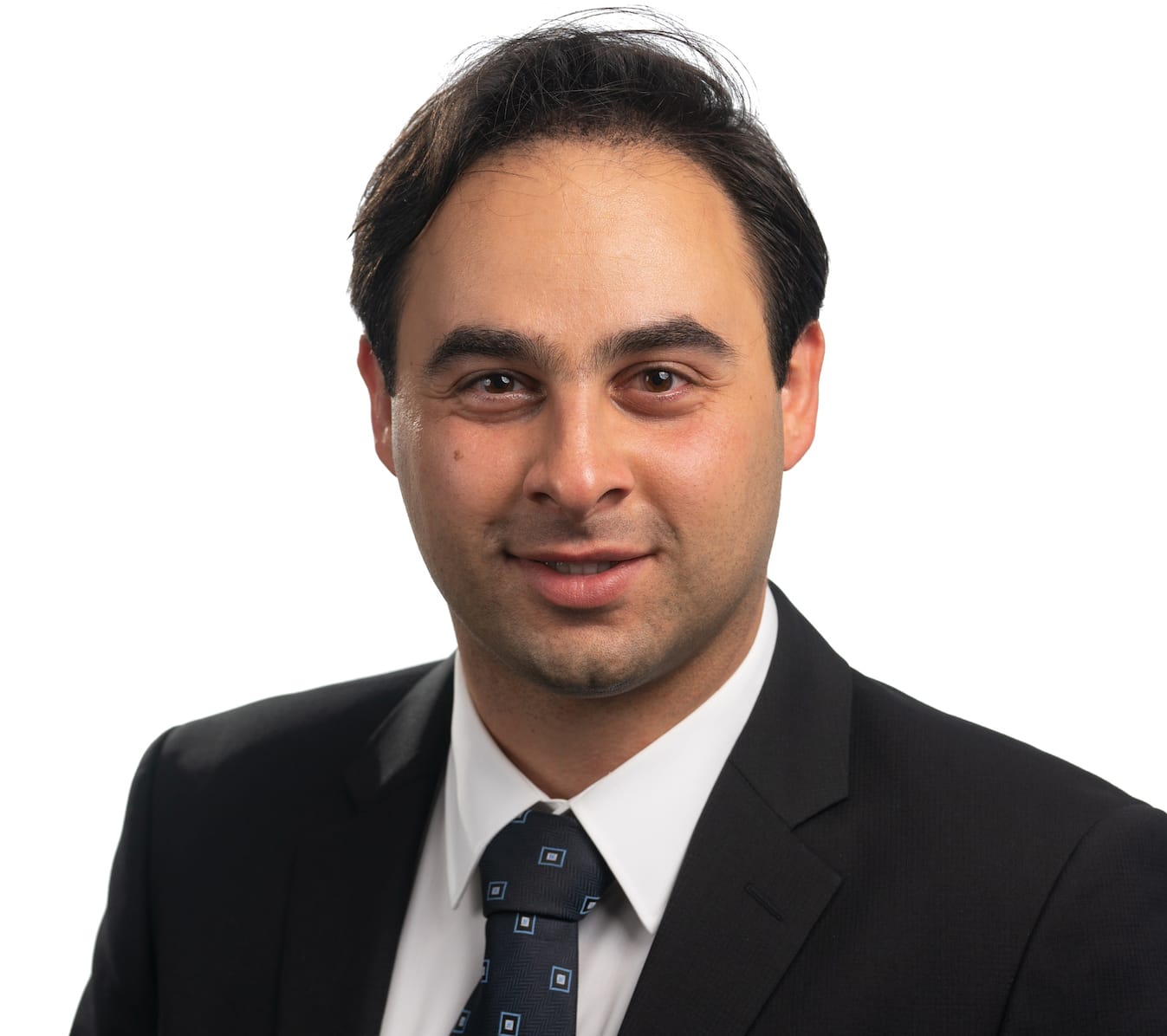
Soroosh Eghbali
Business Development Manager, ModuleWorks Dental


Optimizing toolpath calculations
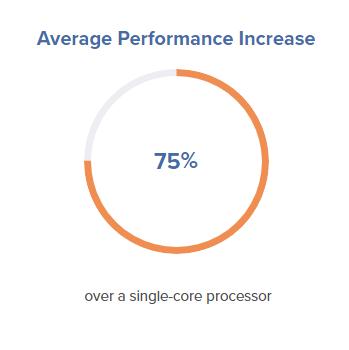
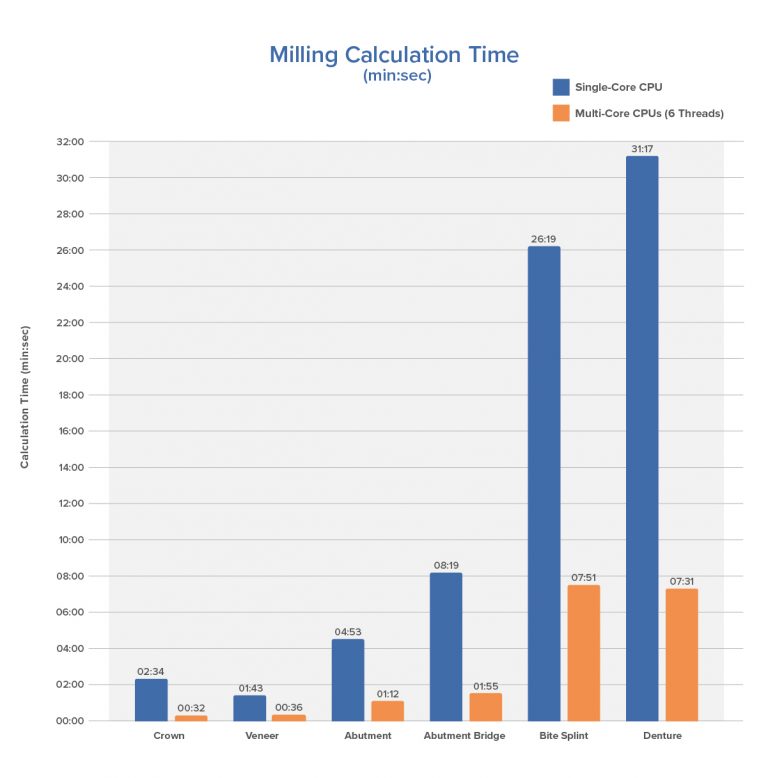
A major factor in accelerating toolpath calculations is effective use of all available computational power. Figure 1 compares the times for calculating milling toolpaths for different dental indications using ModuleWorks Dental Framework 2019 on single- and multi-core processors. Using ModuleWorks Dental Framework on only 6 threads of the Intel i7-5930K, 3.50GHz processor (6 cores and 12 logical processors) provides an average performance increase of 75% over a single-core processor. When more CPU cores are available, the performance increases are even greater.

Figure 1. Comparison of toolpath calculation times for milling applications


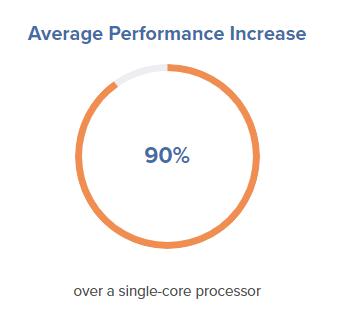
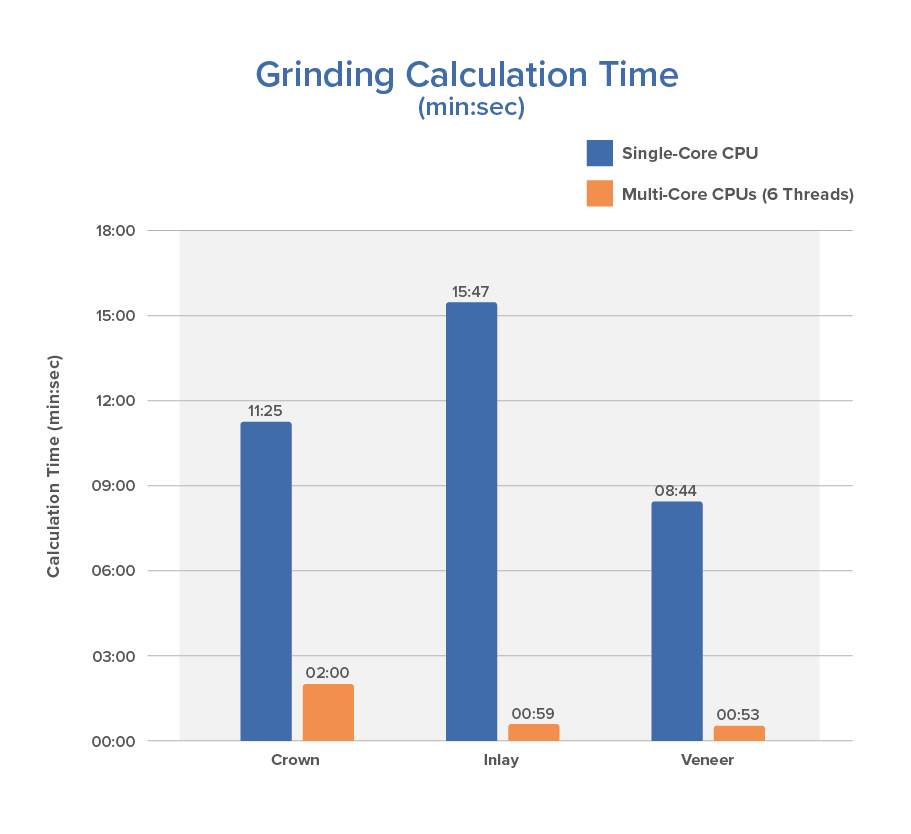
 For grinding applications, the results are even more dramatic. Multi-core processors accelerate the toolpath calculations by around 90% (Figure 2).

Figure 2. Comparison of toolpath calculation times for grinding applications


Optimizing machining times

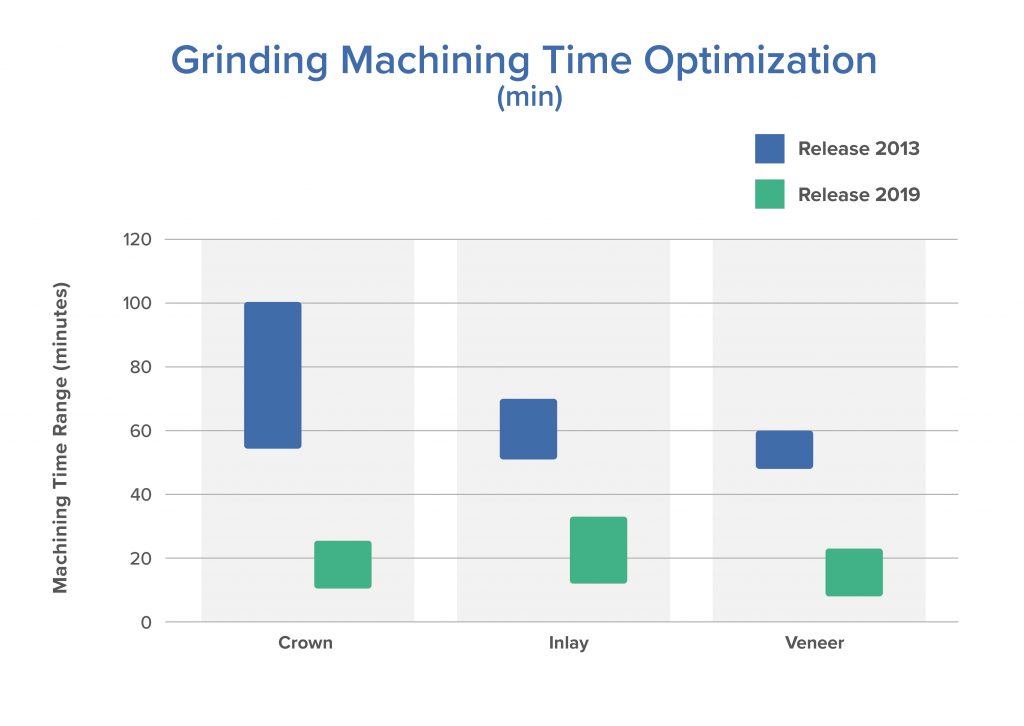
Grinding is a well-established CAD/CAM manufacturing process in dental labs and practices. In recent years, the trend has moved towards one-session treatment in dental practices (chair-side applications). ModuleWorks has developed special advanced CAM technologies to meet the specific requirements of this market, resulting in faster machining times and more cost-effective chair-side treatment. As Figure 3 shows, between the 2013 release and 2019 release, ModuleWorks Dental Framework has cut machining time by an average of 60-80%. Continuous development of different CNC machine kinematics and support for more and more tools ensure machining times remain at the cutting edge.

Figure 3. Faster machining times for grinding applications


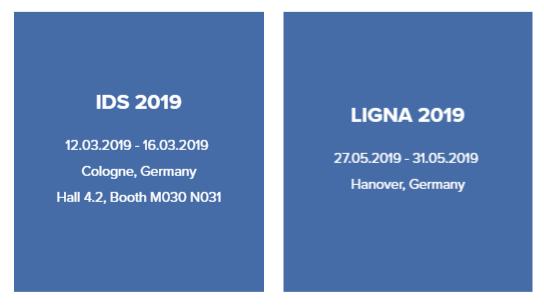
Visit ModuleWorks at IDS 2019 and LIGNA 2019
Responsible for the content of this press release: ModuleWorks GmbH

Login or register now and enjoy all the benefits of a community!

To get the whole functionality of IndustryArena Forum you need to login or register. This process is absolutely free.

Password forgotten?
Contact request
Guest Photo
The controller within the meaning of Art. 4(7) GDPR is: IndustryArena GmbH, Schneiderstr. 6, 40764 Langenfeld, Germany.
You may reach our data protection officer under [email protected].

Purpose of processing
We process your personal data concerning the use of the contact form and the communication with the company of the newsroom as well as the transmission of your data to this company in accordance to Art. 6 (1a) GDPR. This constitutes a legitimate interest for us in accordance to Art. 6 (1f) GDPR.

Recipient of the data
Within our organization, those units gain access to your data, which are necessary to fulfil the above purposes.
Personal data will only be transmitted to third parties if this is necessary for the aforementioned purposes or if another legal basis exists. If necessary, we conclude the corresponding data protection agreements with third parties, in particular pursuant to Art. 28 GDPR.

Data storing
Your data will be transmitted to the company of the newsroom for further processing. The period of storing is the duration of the processing of your request by the respective company.
ModuleWorks GmbH
{{ errors.first('subject') }}
{{ errors.first('comments') }}
Personal Information
{{ errors.first('company') }}
{{ errors.first('name_title') }}
{{ errors.first('phone_number') }}
{{ errors.first('email') }}
{{ errors.first('zip') }}
{{ errors.first('city') }}
The controller within the meaning of Art. 4(7) GDPR is: IndustryArena GmbH, Schneiderstr. 6, 40764 Langenfeld, Germany.
You may reach our data protection officer under [email protected].

Purpose of processing
We process your personal data concerning the use of the contact form and the communication with the company of the newsroom as well as the transmission of your data to this company in accordance to Art. 6 (1a) GDPR. This constitutes a legitimate interest for us in accordance to Art. 6 (1f) GDPR.

Recipient of the data
Within our organization, those units gain access to your data, which are necessary to fulfil the above purposes.
Personal data will only be transmitted to third parties if this is necessary for the aforementioned purposes or if another legal basis exists. If necessary, we conclude the corresponding data protection agreements with third parties, in particular pursuant to Art. 28 GDPR.

Data storing
Your data will be transmitted to the company of the newsroom for further processing. The period of storing is the duration of the processing of your request by the respective company.

Select contact person

Newsroom Logo

Design options

  • Title text color:
  • Content background:
  • Content text color:
  • Navigation background:
  • Tab text color:
  • Active tab text color:
  • Link text color:
  • Active link text color:
  • Background image Background color:

    How do you want to position the background-image?

    Please note: Banners and skyscrapers are only saved for the current language. For other languages, change the language using the button at the top right.

    Set the link for the background image

  • Design options only available for Premium Members

    To the membership page
  • Banner

    How do you like to align the banner?

    Please note: Banners and skyscrapers are only saved for the current language. For other languages, change the language using the button at the top right.

    Set the link for the banner

  • Skyscraper

    Set the link for the skyscraper

Please note:

Banners and skyscrapers are only saved for the current language. For other languages, change the language using the button at the top right.