´Vericut
573
´Vericut
573

„Software darf komplex sein, ihre Anwendung nicht“

MarketingCGTECH Deutschland GmbH on July 25, 2023 at 5:43 PM
vericut Blog Image

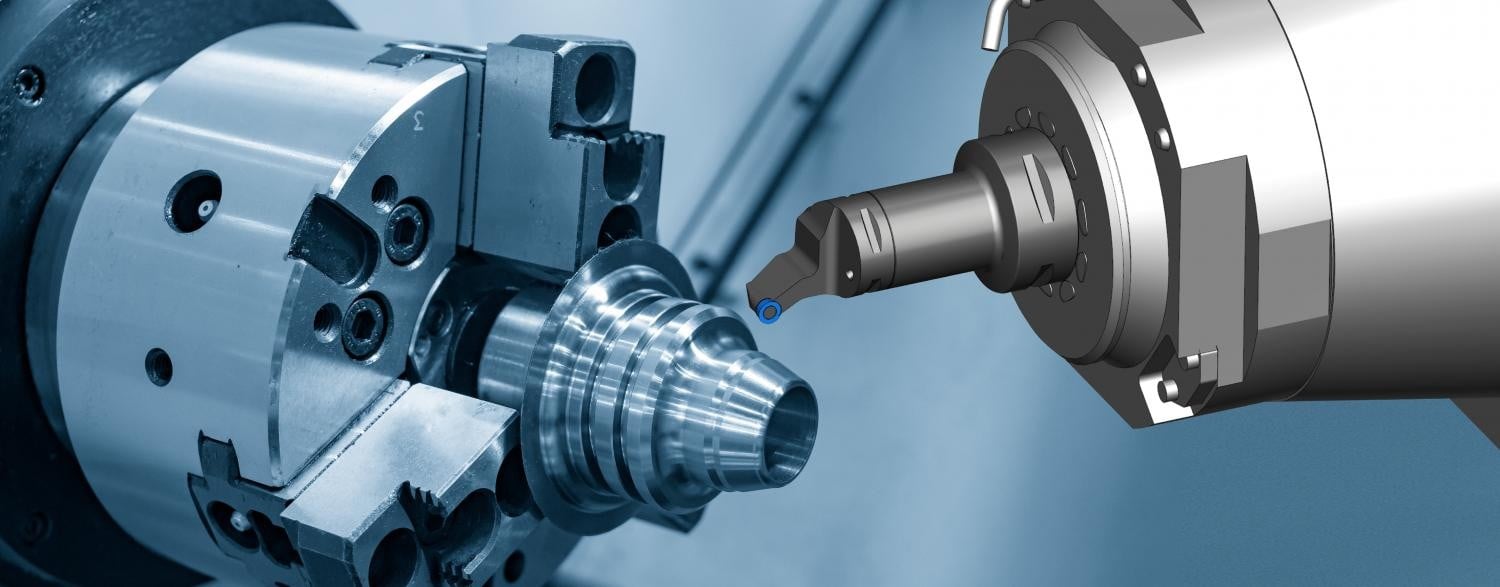
VERICUT 9.4 – Teil I: CGTech mobilisiert neue Ressourcen an der Schnittstelle von CAD/CAM-Programmierung zu Fertigung

„Software darf komplex sein, ihre Anwendung nicht“

Geht professionelle, IT-gestützte NC-Simulation auch einfach? Und wenn ja, für wen gilt das: die CAD/CAM Programmierung, die Arbeitsvorbereitung, die Maschinenbediener? Zuletzt: Wie definiert man in diesem Kontext einfach?

Phillip Block, Marketing Manager EMEA bei CGTech, spricht in diesem Zusammenhang davon, dass „Software durchaus komplex sein darf, ihre Anwendung allerdings nicht.” Ein gutes Beispiel für diesen Anspruch sei die neue Version 9.4 der marktführenden NC-Simulationssoftware VERICUT. „Wir sind der Auffassung dass sich der Wert einer Applikation erst mit seiner Anwendung materialisiert, nicht in ihren Möglichkeiten. Deswegen lancieren wir immer nur dann neue Features & Functions, wenn Anwender direkt etwas davon haben, also einen unmittelbaren Mehrwert in der praktischen Anwendung generieren.“ So wird CGTech pünktlich zur EMO in Hannover (Halle 9/Stand B24) eine 100% praxistaugliche VERICUT Version 9.4 vorstellen, die fertigenden Unternehmen unter dem Motto „Get connected“ spannende neue Möglichkeiten bietet.

Neues Modul: CNC Machine Monitoring

Mit dem Modul CNC Machine Monitoring können Anwender in VERICUT live in Echtzeit streamen und überwachen, was Ihre Maschinen in der Werkstatt tun.

  • Überprüfen lässt sich, welches NC-Programm oder Unterprogramm gerade läuft
  • Überwachen lassen sich die Bewegungen der Maschinenachsen und die Spindelaktivität
  • Prüfen lässt sich, ob Spindel- oder Vorschubübersteuerungen angewendet werden
  • Überprüfen lässt sich, welches Werkzeug geladen ist
  • Ersichtlich sind die aktiven Werkzeug- und Werkstückverschiebungen

Neue Anwendung: CNC Precheck

Mit dieser neuen, eigenständigen App können Maschinenbediener sicherstellen, dass wichtige Punkte der Maschineneinrichtung mit den in VERICUT geprüften Daten übereinstimmen, ohne eine VERICUT-Lizenz zu binden. Erkannte Unterschiede (die ggf. zu Problemen führen) können dann noch vor der echten Bearbeitung analysiert und behoben werden.

  • Überprüfen lässt sich, ob die Parameter der realen Maschine und der virtuellen VERICUT Maschine übereinstimmen.
  • Die Funktion prüft, ob NC-Programme, NC-Unterprogramme, Werkzeugnummern, Werkzeuglängen und NC-Nullpunkte auf der realen Maschine mit denen in VERICUT übereinstimmen.
  • Ampelsystem zur schnellen Identifikation von Fehlern.

Vorschau Teil II: Verbesserte Werkzeugdaten & Neue VERICUT Update Funktion


Login or register now and enjoy all the benefits of a community!

To get the whole functionality of IndustryArena Forum you need to login or register. This process is absolutely free.

Password forgotten?
Contact request
Guest Photo
The controller within the meaning of Art. 4(7) GDPR is: IndustryArena GmbH, Schneiderstr. 6, 40764 Langenfeld, Germany.
You may reach our data protection officer under [email protected].

Purpose of processing
We process your personal data concerning the use of the contact form and the communication with the company of the newsroom as well as the transmission of your data to this company in accordance to Art. 6 (1a) GDPR. This constitutes a legitimate interest for us in accordance to Art. 6 (1f) GDPR.

Recipient of the data
Within our organization, those units gain access to your data, which are necessary to fulfil the above purposes.
Personal data will only be transmitted to third parties if this is necessary for the aforementioned purposes or if another legal basis exists. If necessary, we conclude the corresponding data protection agreements with third parties, in particular pursuant to Art. 28 GDPR.

Data storing
Your data will be transmitted to the company of the newsroom for further processing. The period of storing is the duration of the processing of your request by the respective company.
CGTECH Deutschland GmbH
{{ errors.first('subject') }}
{{ errors.first('comments') }}
Personal Information
{{ errors.first('company') }}
{{ errors.first('name_title') }}
{{ errors.first('phone_number') }}
{{ errors.first('email') }}
{{ errors.first('zip') }}
{{ errors.first('city') }}
The controller within the meaning of Art. 4(7) GDPR is: IndustryArena GmbH, Schneiderstr. 6, 40764 Langenfeld, Germany.
You may reach our data protection officer under [email protected].

Purpose of processing
We process your personal data concerning the use of the contact form and the communication with the company of the newsroom as well as the transmission of your data to this company in accordance to Art. 6 (1a) GDPR. This constitutes a legitimate interest for us in accordance to Art. 6 (1f) GDPR.

Recipient of the data
Within our organization, those units gain access to your data, which are necessary to fulfil the above purposes.
Personal data will only be transmitted to third parties if this is necessary for the aforementioned purposes or if another legal basis exists. If necessary, we conclude the corresponding data protection agreements with third parties, in particular pursuant to Art. 28 GDPR.

Data storing
Your data will be transmitted to the company of the newsroom for further processing. The period of storing is the duration of the processing of your request by the respective company.

Select contact person

Newsroom Logo

Design options

  • Title text color:
  • Content background:
  • Content text color:
  • Navigation background:
  • Tab text color:
  • Active tab text color:
  • Link text color:
  • Active link text color:
  • Background image Background color:

    How do you want to position the background-image?

    Please note: Banners and skyscrapers are only saved for the current language. For other languages, change the language using the button at the top right.

    Set the link for the background image

  • Banner

    How do you like to align the banner?

    Please note: Banners and skyscrapers are only saved for the current language. For other languages, change the language using the button at the top right.

    Set the link for the banner

  • Skyscraper

    Set the link for the skyscraper

Please note:

Banners and skyscrapers are only saved for the current language. For other languages, change the language using the button at the top right.