
FANUC baut die Reihe der CR Roboter aus
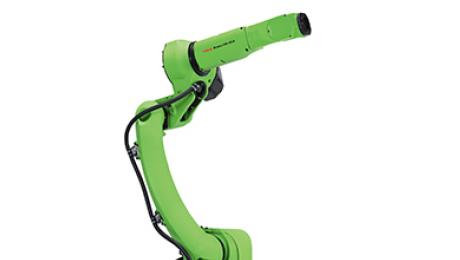
Konsequent baut FANUC die Reihe kollaborativer Roboter aus. Auf der AUTOMATICA in München stellt FANUC erstmals den CR-15iA mit 15 kg Traglast aus. Der mittlerweile fünfte Roboter dieser Baureihe schließt die Lücke zwischen den kleineren Modellen CR-4iA/CR-7iA und dem großen CR-35iA.
Der kollaborative 15 kg-Roboter zielt auf die gleichen industriellen Einsatzbereiche wie auch der M-10iD: Handling und Einsatz in der Logistik bei Verpackungsaufgaben. Deshalb sind in diesen Bereichen auch die ersten Applikationen zu erwarten. „Wir sehen aber auch den Einsatz im Bereich Quality Control, ein Bereich, der noch stark von manuellen, inzwischen gut zu automatisierenden Tätigkeiten geprägt ist“, heißt es bei FANUC.
Für die kollaborativen Roboter der CR-Baureihe wurde eine bewährte Mechanik aus dieser Serie mit einem sehr sensiblen Sensor kombiniert. Das Ergebnis ist eine ebenso leistungsfähige wie sichere Lösung. Die Basis des neuen CR-15iA ist der Industrieroboter M-10iD, der „in Gelb“ ebenfalls Premiere auf der AUTOMATICA hat. Die beiden Roboter haben eine weitgehend identische Mechanik.
Für FANUC und die Betreiber hat das gleich mehrere Vorteile: Zum einen ist die Gestaltung der Roboterzelle prinzipiell gleich und die Ersatzteilhaltung wird vereinfacht. Zum anderen ergibt sich die gleiche Zuverlässigkeit wie beim industriellen Serienroboter, weil der CR-15iA direkt von diesem abgeleitet ist. Er kann stehend, hängend oder an der Wand montiert werden. Im Unterschied zum M-10iD hat der CR-15iA eine Achsbegrenzung zwischen Achse 2 und 3, so dass keine Gefahr einer Einklemmung besteht.
Dieser Sicherheitsmodus ist Standard im Betrieb als kollaborativer Roboter. Er kann jedoch über die Software DCS (Dual Check Safety) ausgeschaltet werden, wenn der Roboter im vollautomatischen Betrieb gefahren werden soll. Von Haus aus ist der Sicherheitssensor kalibriert. Um die Mensch- Maschine Kollaboration jedoch so sicher wie vorgesehen zu fahren, wird der Sensor nach dem Einschalten justiert. Als Steuerung kann wahlweise eine R-30iB Plus oder eine R-30iB Mate Plus eingesetzt werden. Das „Mate-Cabinet“ ist eine leistungsstarke Steuerungsvariante, die speziell für kleinere Roboter der M-Serie und LR Mate-Roboter entwickelt wurde.
Wie bei allen CR-Robotern ist auch beim CR-15iA der Sensor im Robotersockel untergebracht. Dass der Roboter auf dem Sockel sitzt, verbessert seinen Arbeitsraum, beispielsweise beim Beladen von hochgestapelten Kartons auf Paletten. In horizontaler Richtung hat der CR-15iA eine Reichweite von 1.441 mm, in vertikaler Richtung erreicht der Roboter eine Höhe von 2.413 mm. Zusammen mit der Traglast sind das Werte, die beim Handling sehr gefragt sind.
Konsequent baut FANUC die Reihe kollaborativer Roboter aus. Auf der AUTOMATICA in München stellt FANUC erstmals den CR-15iA mit 15 kg Traglast aus. Der mittlerweile fünfte Roboter dieser Baureihe schließt die Lücke zwischen den kleineren Modellen CR-4iA/CR-7iA und dem großen CR-35iA.
Der kollaborative 15 kg-Roboter zielt auf die gleichen industriellen Einsatzbereiche wie auch der M-10iD: Handling und Einsatz in der Logistik bei Verpackungsaufgaben. Deshalb sind in diesen Bereichen auch die ersten Applikationen zu erwarten. „Wir sehen aber auch den Einsatz im Bereich Quality Control, ein Bereich, der noch stark von manuellen, inzwischen gut zu automatisierenden Tätigkeiten geprägt ist“, heißt es bei FANUC.
Für die kollaborativen Roboter der CR-Baureihe wurde eine bewährte Mechanik aus dieser Serie mit einem sehr sensiblen Sensor kombiniert. Das Ergebnis ist eine ebenso leistungsfähige wie sichere Lösung. Die Basis des neuen CR-15iA ist der Industrieroboter M-10iD, der „in Gelb“ ebenfalls Premiere auf der AUTOMATICA hat. Die beiden Roboter haben eine weitgehend identische Mechanik.
Für FANUC und die Betreiber hat das gleich mehrere Vorteile: Zum einen ist die Gestaltung der Roboterzelle prinzipiell gleich und die Ersatzteilhaltung wird vereinfacht. Zum anderen ergibt sich die gleiche Zuverlässigkeit wie beim industriellen Serienroboter, weil der CR-15iA direkt von diesem abgeleitet ist. Er kann stehend, hängend oder an der Wand montiert werden. Im Unterschied zum M-10iD hat der CR-15iA eine Achsbegrenzung zwischen Achse 2 und 3, so dass keine Gefahr einer Einklemmung besteht.
Dieser Sicherheitsmodus ist Standard im Betrieb als kollaborativer Roboter. Er kann jedoch über die Software DCS (Dual Check Safety) ausgeschaltet werden, wenn der Roboter im vollautomatischen Betrieb gefahren werden soll. Von Haus aus ist der Sicherheitssensor kalibriert. Um die Mensch- Maschine Kollaboration jedoch so sicher wie vorgesehen zu fahren, wird der Sensor nach dem Einschalten justiert. Als Steuerung kann wahlweise eine R-30iB Plus oder eine R-30iB Mate Plus eingesetzt werden. Das „Mate-Cabinet“ ist eine leistungsstarke Steuerungsvariante, die speziell für kleinere Roboter der M-Serie und LR Mate-Roboter entwickelt wurde.
Wie bei allen CR-Robotern ist auch beim CR-15iA der Sensor im Robotersockel untergebracht. Dass der Roboter auf dem Sockel sitzt, verbessert seinen Arbeitsraum, beispielsweise beim Beladen von hochgestapelten Kartons auf Paletten. In horizontaler Richtung hat der CR-15iA eine Reichweite von 1.441 mm, in vertikaler Richtung erreicht der Roboter eine Höhe von 2.413 mm. Zusammen mit der Traglast sind das Werte, die beim Handling sehr gefragt sind.