

New features for the HEIDENHAIN StateMonitor software: Energy monitoring and ERP connectivity
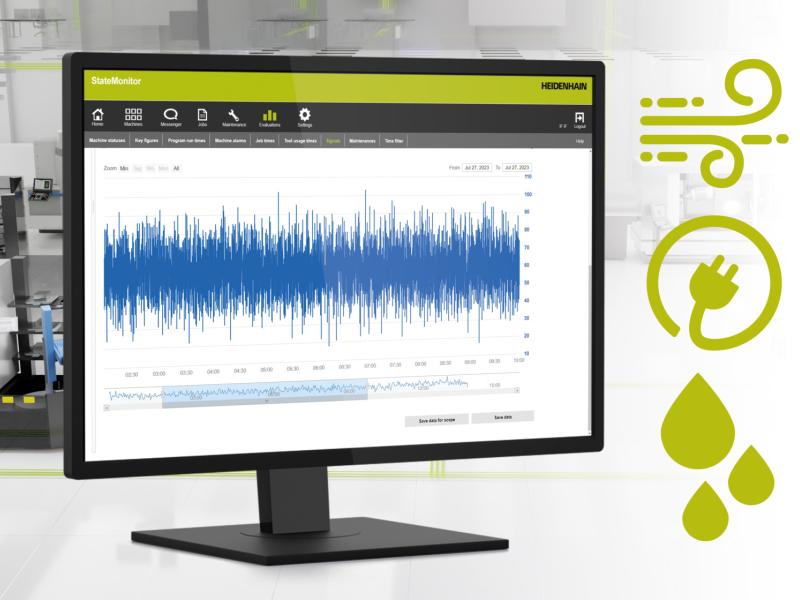
StateMonitor is a machine data collection (MDC) software solution from HEIDENHAIN that brings full visibility to real-world production processes, allowing users to monitor their machines from any location and ensure efficient machine utilization. Thanks to two new features, users can now also monitor machine energy consumption and share machine data with ERP and MES solutions.
Energy monitoring reveals actual consumption levels
The HEIDENHAIN StateMonitor machine data collection software now features energy monitoring functionality for analyzing the actual energy consumed by a company’s machines, allowing users to analyze the utilization of their machines even between machining operations. The energy monitoring feature delivers consumption data for electricity, compressed air and process water, enabling users to identify energy guzzlers, derive optimization measures and reduce energy costs.
Consumption analysis can be performed for individual machines and subsystems in accordance with defined periods, executed NC programs and individual parts. Energy data is collected from machine signals relayed to StateMonitor by the control or sent directly from additional sensors. As a result, users can evaluate the energy consumption of all their machine assets with minimal effort.
Automated data sharing with EPR and MES software
Because data consistency across different systems is essential for efficient manufacturing, the HEIDENHAIN StateMonitor software provides an interface for sharing job data with higher-level ERP and MES software. Job information and related scheduling data are automatically sent to StateMonitor, where they are available to users in JobTerminal and can be enriched with other information including actual setup times, production times and quantities produced. In the reverse direction, data from completed jobs can also be sent to the higher-level systems, providing them with important real-world production data.
Combining job data with machine data gives users deep insight into their production processes and actual efficiency with an all-in-one software tool. StateMonitor also makes it easy for users without an extensive IT background to enter data manually. Via machine messages, job data collection is even possible from within the NC program. This reduces the need for manual data entry, cuts down on data entry terminals, prevents errors and ensures a unified data pool in all relevant systems.
StateMonitor is a machine data collection (MDC) software solution from HEIDENHAIN that brings full visibility to real-world production processes, allowing users to monitor their machines from any location and ensure efficient machine utilization. Thanks to two new features, users can now also monitor machine energy consumption and share machine data with ERP and MES solutions.
Energy monitoring reveals actual consumption levels
The HEIDENHAIN StateMonitor machine data collection software now features energy monitoring functionality for analyzing the actual energy consumed by a company’s machines, allowing users to analyze the utilization of their machines even between machining operations. The energy monitoring feature delivers consumption data for electricity, compressed air and process water, enabling users to identify energy guzzlers, derive optimization measures and reduce energy costs.
Consumption analysis can be performed for individual machines and subsystems in accordance with defined periods, executed NC programs and individual parts. Energy data is collected from machine signals relayed to StateMonitor by the control or sent directly from additional sensors. As a result, users can evaluate the energy consumption of all their machine assets with minimal effort.
Automated data sharing with EPR and MES software
Because data consistency across different systems is essential for efficient manufacturing, the HEIDENHAIN StateMonitor software provides an interface for sharing job data with higher-level ERP and MES software. Job information and related scheduling data are automatically sent to StateMonitor, where they are available to users in JobTerminal and can be enriched with other information including actual setup times, production times and quantities produced. In the reverse direction, data from completed jobs can also be sent to the higher-level systems, providing them with important real-world production data.
Combining job data with machine data gives users deep insight into their production processes and actual efficiency with an all-in-one software tool. StateMonitor also makes it easy for users without an extensive IT background to enter data manually. Via machine messages, job data collection is even possible from within the NC program. This reduces the need for manual data entry, cuts down on data entry terminals, prevents errors and ensures a unified data pool in all relevant systems.