
HEIDENHAIN
12236
HEIDENHAIN
12236

Switch between multiple machine models with the vTNC7 programming system

MarketingDR. JOHANNES HEIDENHAIN GmbH on May 21, 2026 at 10:00 AM

How can you have confidence that a part program created with a CAM system or programming station will run flawlessly on your machine?

With our Digital Twin service!

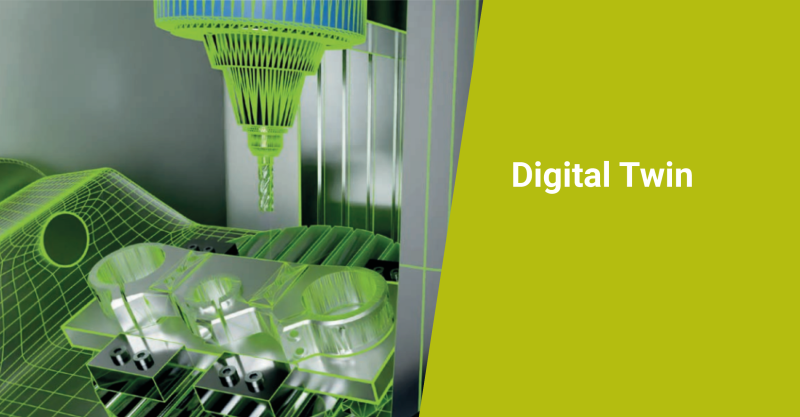
A HEIDENHAIN Digital Twin brings the shop floor to your back office, providing a perfect digital model of your machine for use on your programming station.

Speaking of programming stations: If you have the new vTNC7 programming system from HEIDENHAIN, then our “Digital Twin for vTNC7” service lets you store and simulate multiple virtual machine models.

Simply click on the desired virtual machine model and continue enjoying the same user experience while the vTNC7 automatically adjusts the kinematic model and other machine parameters in the background. 

To learn more about the vTNC7, visit:
https://news.heidenhain.com/machine-tool/tnc7

Login or register now and enjoy all the benefits of a community!

To get the whole functionality of IndustryArena Forum you need to login or register. This process is absolutely free.

Password forgotten?
Contact request
Guest Photo
The controller within the meaning of Art. 4(7) GDPR is: IndustryArena GmbH, Schneiderstr. 6, 40764 Langenfeld, Germany.
You may reach our data protection officer under [email protected].

Purpose of processing
We process your personal data concerning the use of the contact form and the communication with the company of the newsroom as well as the transmission of your data to this company in accordance to Art. 6 (1a) GDPR. This constitutes a legitimate interest for us in accordance to Art. 6 (1f) GDPR.

Recipient of the data
Within our organization, those units gain access to your data, which are necessary to fulfil the above purposes.
Personal data will only be transmitted to third parties if this is necessary for the aforementioned purposes or if another legal basis exists. If necessary, we conclude the corresponding data protection agreements with third parties, in particular pursuant to Art. 28 GDPR.

Data storing
Your data will be transmitted to the company of the newsroom for further processing. The period of storing is the duration of the processing of your request by the respective company.
DR. JOHANNES HEIDENHAIN GmbH
{{ errors.first('subject') }}
{{ errors.first('comments') }}
Personal Information
{{ errors.first('company') }}
{{ errors.first('name_title') }}
{{ errors.first('phone_number') }}
{{ errors.first('email') }}
{{ errors.first('zip') }}
{{ errors.first('city') }}
The controller within the meaning of Art. 4(7) GDPR is: IndustryArena GmbH, Schneiderstr. 6, 40764 Langenfeld, Germany.
You may reach our data protection officer under [email protected].

Purpose of processing
We process your personal data concerning the use of the contact form and the communication with the company of the newsroom as well as the transmission of your data to this company in accordance to Art. 6 (1a) GDPR. This constitutes a legitimate interest for us in accordance to Art. 6 (1f) GDPR.

Recipient of the data
Within our organization, those units gain access to your data, which are necessary to fulfil the above purposes.
Personal data will only be transmitted to third parties if this is necessary for the aforementioned purposes or if another legal basis exists. If necessary, we conclude the corresponding data protection agreements with third parties, in particular pursuant to Art. 28 GDPR.

Data storing
Your data will be transmitted to the company of the newsroom for further processing. The period of storing is the duration of the processing of your request by the respective company.

Select contact person

Newsroom Logo

Design options

  • Title text color:
  • Content background:
  • Content text color:
  • Navigation background:
  • Tab text color:
  • Active tab text color:
  • Link text color:
  • Active link text color:
  • Background image Background color:

    How do you want to position the background-image?

    Please note: Banners and skyscrapers are only saved for the current language. For other languages, change the language using the button at the top right.

    Set the link for the background image

  • Banner

    How do you like to align the banner?

    Please note: Banners and skyscrapers are only saved for the current language. For other languages, change the language using the button at the top right.

    Set the link for the banner

  • Skyscraper

    Set the link for the skyscraper

Please note:

Banners and skyscrapers are only saved for the current language. For other languages, change the language using the button at the top right.